
How to Use Virus Scanner in cPanel
Ensuring the security of your website is important, especially if you have multiple users uploading files, installing scripts, and updating your site on a regular basis. Each file you put in your hosting space and each modification you make to your site introduces the possibility of a hidden vulnerability or malicious content slipping through undetected. That’s why having a reliable way to detect harmful files is just as important as keeping your software and plugins updated.
The Virus Scanner in cPanel is a security tool used to analyze your hosting account for harmful files, infected scripts, spam emails, and other malware. It runs a scan on selected areas of your account and then provides a report with clear results, so you will be able to take necessary actions right away. You are free to select what exactly you want to scan, depending on your needs: email accounts, website files, or even your entire home directory.
Access the Virus Scanner in cPanel
To access the Virus Scanner in cPanel:
- Log in to your cPanel account.
- Scroll down the dashboard and find the Advanced section.
- Click on Virus Scanner to open the tool.


Once opened, you’re ready to scan your hosting account.
Start a New Scan
Follow these steps to initiate a scan:
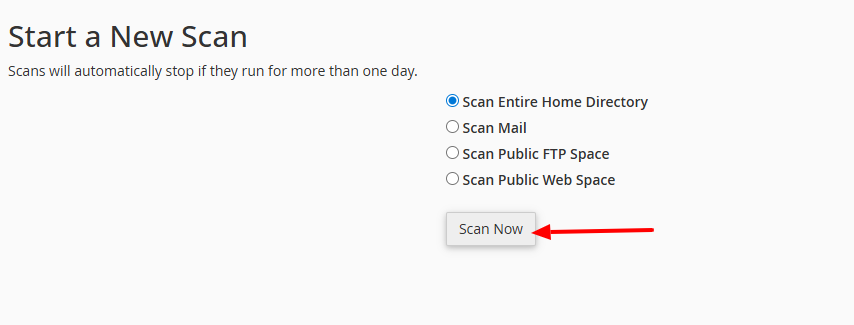
- Select the part of your account you would like to scan:
- Scan Entire Home Directory: Examines all of the files and folders in your account.
- Scan Mail: Scans all e-mail accounts for infected attachments or messages.
- Scan Public FTP Space: Reviews files in your FTP-accessible directories.
- Scan Public Web Space: This checks the public_html folder for website files.
- After selecting the scan type, click the Scan Now button to initiate the process.

- Wait for the scan to complete. Monitor the progress via the status updates and progress bar.

- After the process is complete, you will be given a report of the results, showing the list of infected files. The report will also suggest some actions for each infected file, recommending: Quarantine, Destroy, or Ignore.
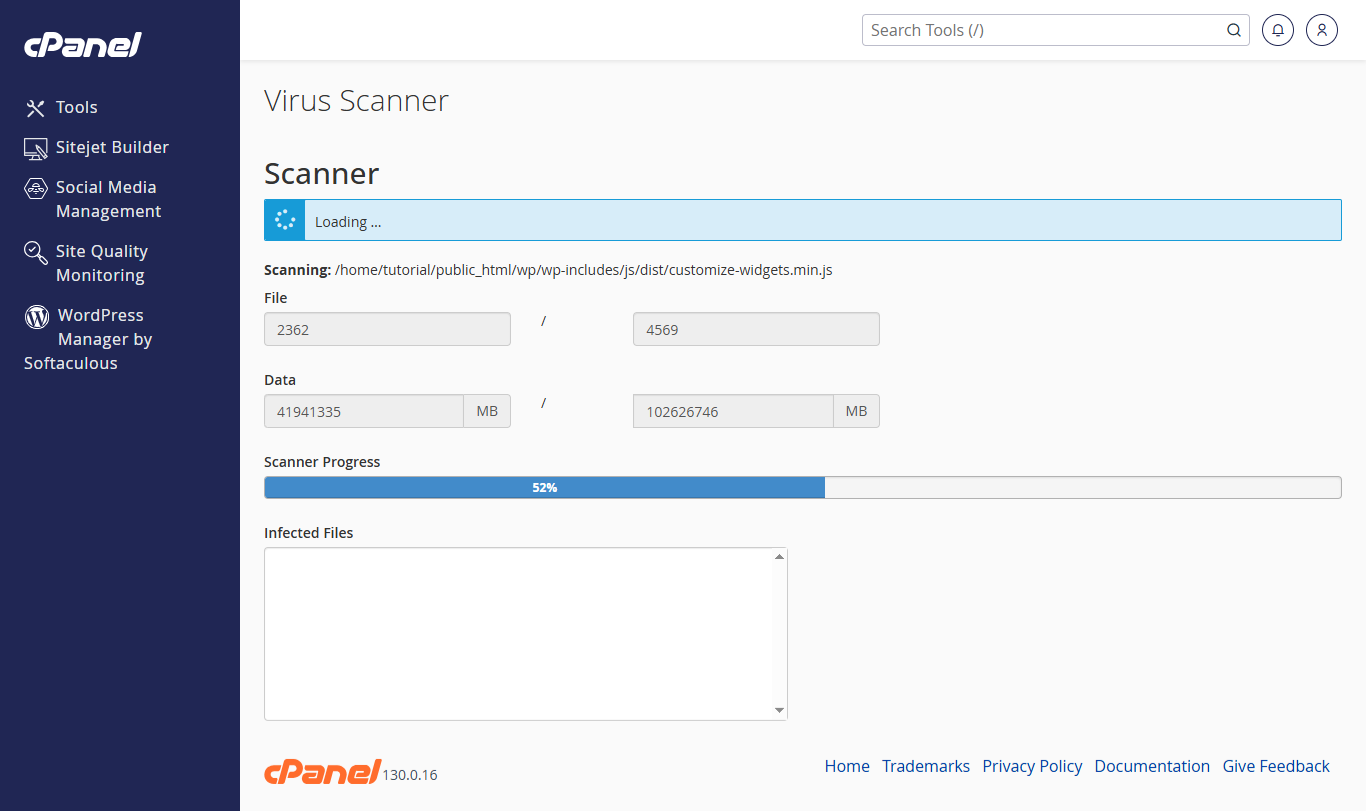
Note: For larger hosting accounts containing a lot of files or data, it can take several minutes and even longer for the scan to finish. Be patient and avoid closing your cPanel session while it is working..
Understanding the Scan Results
A detailed summary will appear once the scan is complete. The report typically includes:
- Files: The total number of files scanned within your hosting account, indicating how many files were checked.
- Data: The total size of all files scanned, measured in MB. This information helps you track changes if you run scans regularly.
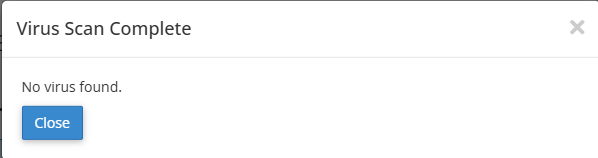
- No Infected Files Found: If the scan doesn’t detect any infected files, then the report will include that all scanned files are clean — no virus found. That guarantees that your hosting account is currently free from malware.

- Infected or Suspicious Files: In the event of detecting infected or suspicious files, the following actions can be performed:
- Quarantine: Moves the infected file to a secure location where it cannot execute, allowing you to review it later.
- Destroy: Permanently removes the infected file from your hosting account. This is the safest option if the file is either unnecessary or non-essential.
- Ignore (with caution): Leaves the file alone without any modification. Use this only if you are sure that the file is safe, otherwise it will remain infected.

- Check the appropriate option for each infected file, then click Process Cleanup to apply the changes.

Best Practices for a Secure Hosting Environment
Keep your site clean and safe by pairing the Virus Scanner with sound security practices:
- Perform Virus scans on your hosting account to keep it secure.
- Back up your website before removing or modifying files.
- Keep your CMS, plugins, and scripts updated.
- Clean up your account by deleting unused or outdated files.
- Monitor email accounts for suspicious messages.
- Use strong login credentials for all hosting-related access.
A consistent routine reduces the possibility of reinfection, provides your website with long-term stability, and is essential for a safe and secure hosting environment. If you maintain a scanning rhythm together with good security practices, you can enjoy a clean, secure, and stable website with minimal potential threats.